
Video Utility & Hook Formatter: Captions & Teleprompter Scripts
Format high-impact video hooks, teleprompter scripts, and bold captions for TikTok, YouTube Shorts, and Instagram Reels to maximize video retention.
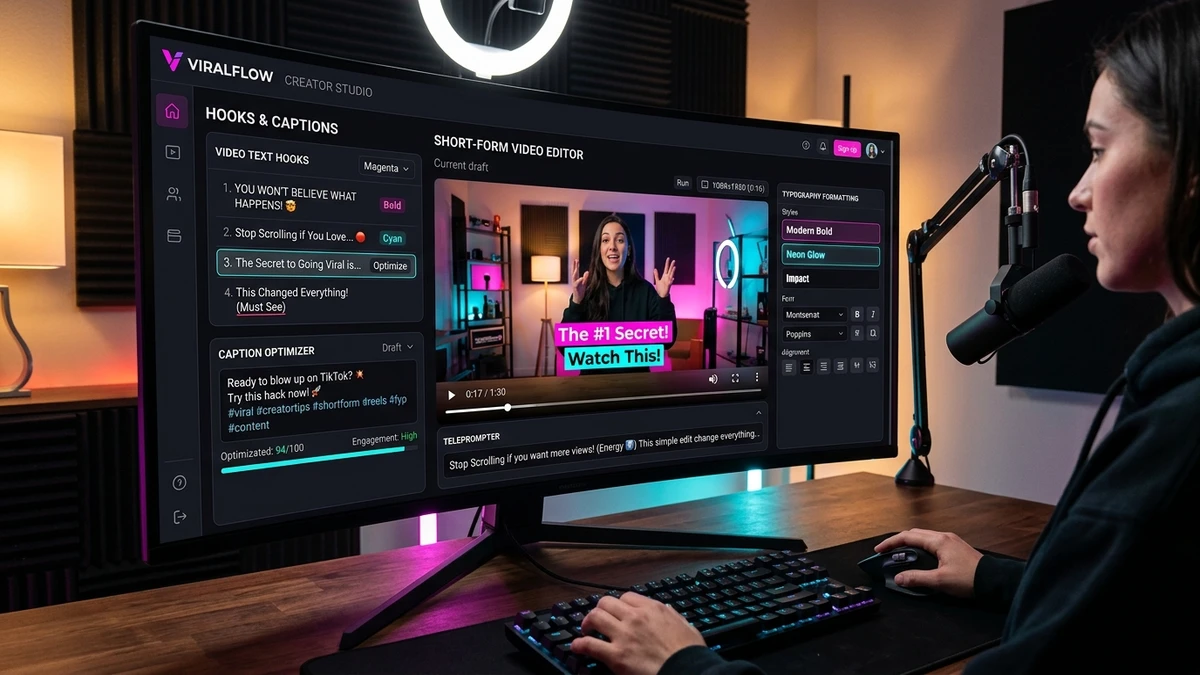
Short-Form Telemetry
Mobile viewers drop off if subtitle blocks exceed 2 lines. Split long sentences across natural breath pauses.
The Science of Video Hooks: How Typography Drives Algorithm Watch-Time
Video Utility and Hook Formatter provides short-form video creators with teleprompter reading speed metrics, caption character limit checks, and high-impact hook typography for TikTok, Reels, and Shorts.
Algorithmic short-form video systems (including TikTok's recommendation engine, YouTube Shorts' neural ranking models, and Instagram Reels' distribution pipeline) evaluate viewer drop-off within milliseconds. If a user swipes away during the opening two seconds, the content's distribution velocity is throttled immediately.
Visual hooks solve this dilemma by providing dual cognitive stimulation: while the creator begins speaking, bold on-screen typography delivers the core promise of the video in text form. Because over 70% of viewers scroll social feeds in public transit, offices, or quiet rooms with audio disabled, bold typographic captions ensure your message lands even before sound is enabled.
The 150 WPM Voiceover Pacing Framework
Delivery speed directly influences perceived authority and content density. In conversational speech, humans articulate between 110 and 130 words per minute. In high-retention video formats, however, this casual cadence feels sluggish. Empirical analysis of viral educational content reveals an optimal pace between 150 and 175 words per minute (2.5 to 2.9 words per second).
Our integrated cadence engine analyzes your raw script, calculating syllable count and word frequency to predict playback duration with mathematical accuracy. A 60-second YouTube Short accommodates between 140 and 160 spoken words when accounting for micro-pauses between visual scene cuts. Writing beyond 170 words forces rushed speech that compromises articulation.
The 9:16 Vertical Safe Zone Architecture
Short-form platforms superimpose dense interactive user interface overlays on vertical videos. Beginners frequently render titles and subtitles directly beneath platform engagement icons, resulting in obscured text that frustrates viewers.
Contains search bars, LIVE buttons, and following feeds. Keep critical text below y=160px on a standard 1080x1920 canvas.
The focal safe harbor. Position all primary hooks, subtitle captions, and visual emphasis within this vertical window.
Contains creator usernames, native caption boxes, and rotating audio discs. Subtitles positioned here suffer massive occlusion.
Saccadic Vision Science & Script Optimization Workflows
Saccadic Eye Movement and the Cognitive Limits of Mobile Subtitles
Reading subtitles on a vertical 9:16 mobile display operates under fundamentally different optical dynamics than reading a horizontal television screen or cinema display. In human vision science, rapid eye movements between fixation points are termed saccades. On a desktop or television screen, the human eye performs wide horizontal sweeps along an extended baseline. On a smartphone held six to ten inches from the face, however, excessive horizontal text forces rapid vertical and diagonal eye jumps that induce severe cognitive fatigue.
Eye-tracking research conducted on short-form video consumers demonstrates that when on-screen captions exceed two lines (more than 8 to 12 words per chunk), viewers shift their optical attention entirely away from the speaker's facial expressions and body language to decode the text. Once visual connection with the creator is broken, emotional resonance plummets, resulting in immediate viewer drop-off.
2-Line Subtitle Limit (4-8 Words)
Our Teleprompter and Subtitle Splitter enforces the golden 2-line chunk rule: breaking scripts into concise, rhythmically balanced subtitle blocks containing 4 to 8 words per screen. This matches natural human speech cadences and allows viewers to absorb caption meaning peripherally in under 200 milliseconds while maintaining direct gaze fixation on the creator's eyes.
Short-Form Video Formatting Specifications & Safe-Zone Standards
The Three Pillars of Short-Form Video Retention Architecture
To consistently surpass the 80% average percentage viewed (APV) threshold on TikTok and YouTube Shorts, content creators must synchronize three distinct communicative layers during the opening 3 seconds:
Eliminate conversational intro filler. Begin speaking the core promise at 0.0 seconds at 150 to 175 WPM.
Superimpose high-contrast bold typography in the central safe zone, capturing 100% of sound-off viewers.
Establish a high-stakes question that can only be resolved by watching through the final seconds.
Optimizing Video Scripts for Mobile Teleprompter Apps and Rapid Editing
Recording professional short-form videos with a smartphone camera requires maintaining consistent eye contact with the physical camera lens. When creators attempt to memorize an unformatted paragraph or read from a distant desktop monitor, their eyes visibly dart away from the lens, destroying the intimate connection essential for mobile social video.
By utilizing FormatCleaner's integrated 2-line cadence formatter, creators transform dense scripts into rhythmic, digestible teleprompter cards. Each card contains a single breath pause of four to eight words. When imported into mobile teleprompter tools or positioned directly beneath your phone's front-facing lens, you can glance at each phrase in a fraction of a second without breaking gaze alignment.
Furthermore, our live duration calculator prevents the common mistake of over-scripting. By setting your delivery pace to 150 words per minute, you receive instantaneous feedback on whether your video script will comfortably fit within a 30-second Reel or a 60-second YouTube Short, leaving sufficient margin for visual B-roll cuts and dynamic sound design.
Explore related creator optimization utilities across our suite: Format multi-line thought leadership on the Social Post Formatter, generate Unicode emphasis with Bold Italic Fonts, apply decorative styling via Aesthetic Unicode Fonts, or discover all tools in the Text Tools Directory.
Video Platform Publishing Standards & Caption Constraints
Comprehensive comparison of caption limits, hook thresholds, and viewing behaviors across top short-form video channels:
| Video Platform | Caption Text Ceiling | Primary Hook Duration | On-Screen Text Safe Zone | Mute Viewing Percentage |
|---|---|---|---|---|
| TikTok Video | 2200 | First 2.5 seconds | Keep text centered; top 15% to bottom 20% clear of UI buttons | 68% watch with sound initially muted |
| Instagram Reels | 2200 | First 3.0 seconds | Avoid bottom 25% where username and caption overlay render | 75% watch with sound initially muted |
| YouTube Shorts | 100 | First 2.0 seconds | Keep title centered; avoid right-edge subscription button | 60% watch with auto-captions |
| LinkedIn Video | 3000 | First 4.0 seconds | Standard 16:9 or 9:16; center lower third for subtitles | 80% watch in silent office environments |
Frequently Asked Questions About Video Hook Formatting
Technical answers and styling recommendations from the Social Typography & Communications Standards Desk.
Why do bold captions and text hooks improve short-form video retention?
Over 70% of viewers scroll social video feeds (TikTok, Reels, LinkedIn) in silent or sound-off environments. A prominent, high-contrast bold text hook in the opening frame delivers immediate context before a viewer scrolls away. Combining auditory hooks with bold visual typography anchors viewer curiosity, dramatically increasing 3-second retention rates—the primary signal algorithmic recommendation engines use to determine video distribution.
What is the recommended words-per-minute (WPM) speed for video teleprompters?
For fast-paced short-form video (TikTok and Instagram Reels), the optimal delivery pace is between 150 and 175 words per minute (approximately 2.5 to 3 words per second). Our workbench computes real-time reading duration telemetry directly from your script so you can calibrate your delivery to match standard video pacing.
Where should on-screen text be positioned to avoid mobile UI overlap?
Short-form video apps overlay interactive icons (like buttons, comment drawers, share arrows, and sound discs) along the right edge and bottom third of the display. To prevent your text from being obscured, always position critical hooks and bold titles in the vertical center-third of your 9:16 frame, maintaining at least a 15% margin from top and bottom display edges.
Can I copy formatted Unicode text directly into video editing tools like CapCut or Premiere?
Yes. Modern desktop and mobile video editing applications (including CapCut, Adobe Premiere Pro, Final Cut Pro, and DaVinci Resolve) fully support UTF-8 text entry. Copying bold or stylized Unicode text from FormatCleaner into your video text layers renders the distinct typographic weights immediately without installing additional custom font files.
How do 2-line subtitle chunks improve viewer comprehension on mobile screens?
Cognitive load theory indicates that rapid 9:16 video formats overwhelm viewers when subtitles exceed two lines (approximately 8 to 12 words per screen). Splitting scripts into 2-line chunks synchronized with natural breath pauses matches human saccadic eye movement and prevents text from encroaching on the creator's facial expressions.